

What Is Container Technology: Ultimate Guide 2026
Container technology packages apps with their dependencies to run fast and the same anywhere.
You want fewer outages, faster releases, and a path to scale. I have shipped and run containers across startups and large teams. This guide breaks down What is Container Technology in plain words, with real examples, tips, and the traps to avoid. By the end, you will know how it works, why it matters, and how to begin with confidence.

Source: advantech.com
What is Container Technology?
Container technology is a way to bundle an app and everything it needs to run. The bundle is called an image. When you run it, you get a container. It is light, fast, and isolated. It runs on any host with a container engine. Think of it like a to-go box with your full meal, ready to heat and serve.
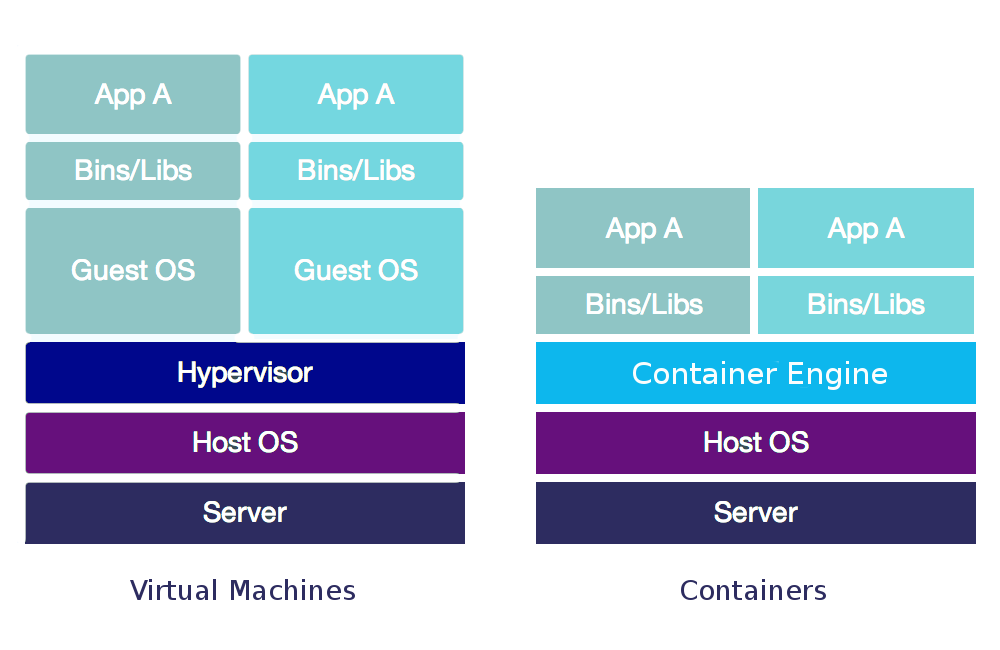
When people ask What is Container Technology, they often compare it to virtual machines. VMs include a full guest OS. Containers share the host OS kernel. This makes them small and quick to start. You can launch many containers on the same host.
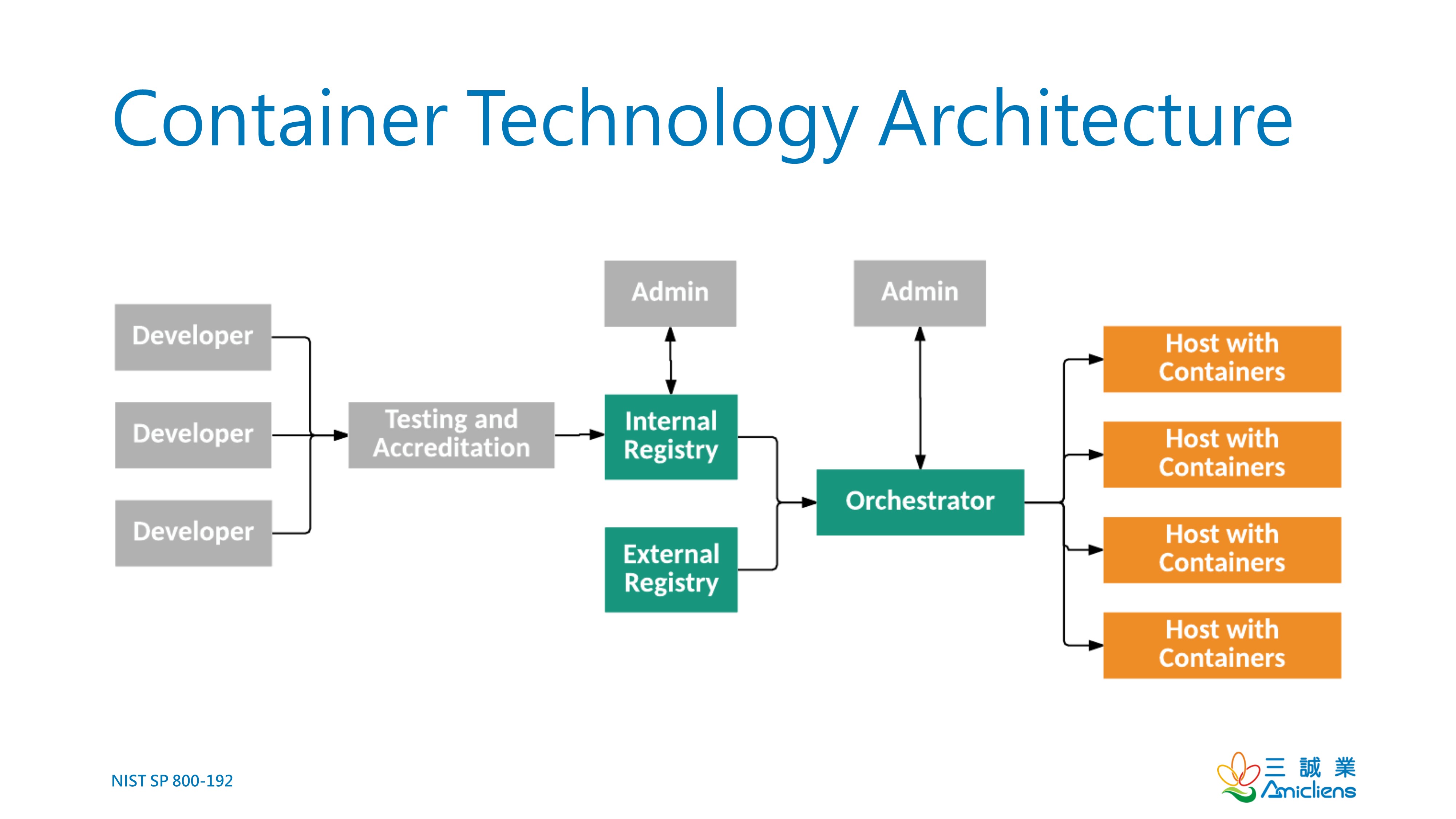
Key parts include images, containers, a registry, and an engine. You build an image once. You push it to a registry. You pull and run it anywhere. This is the core promise behind What is Container Technology.

Source: techradar.com
How Containers Work: The Building Blocks
Containers use the host kernel. Namespaces give each container its own view of the world. Control groups limit CPU, memory, and I/O. Union filesystems layer files to save space and speed up pulls.
Industry standards keep things open. The OCI image and runtime specs help tools work well together. This is why What is Container Technology stays portable across clouds and data centers.
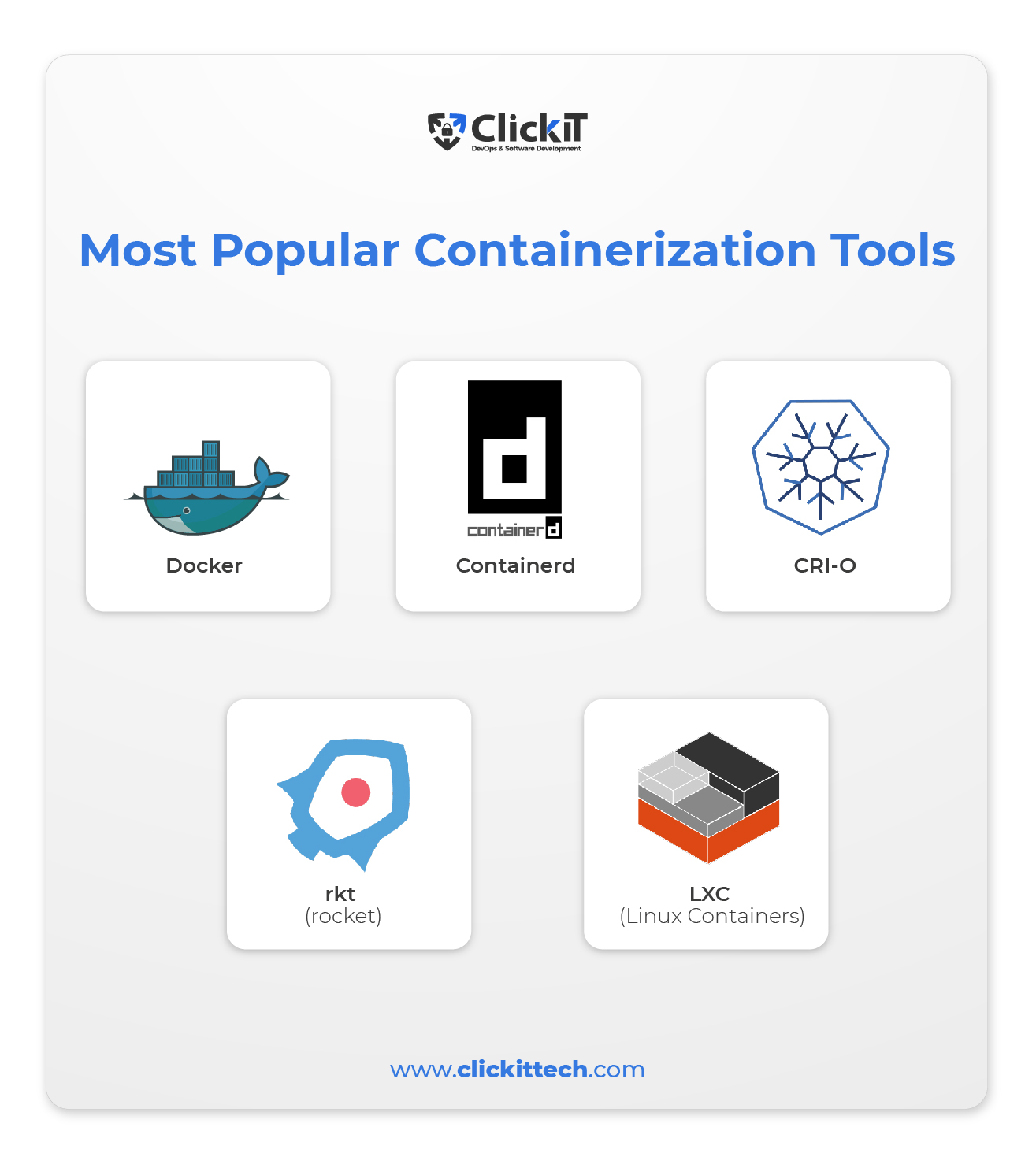
You will hear terms like Docker, containerd, and CRI-O. These are engines that run containers. They all follow the same core rules.
Source: k21academy.com
Why Teams Use Containers
Teams move to containers for speed and trust. They build once and run the same build in test and prod. That cuts drift and surprise bugs.
Benefits you can expect:
- Faster starts and deploys
- Portability across clouds and on-prem
- Better resource use and lower costs
- Strong isolation for safer multi-tenant runs
- Easier scaling for traffic spikes
What is Container Technology also helps with DevOps. CI/CD pipelines get stable builds and repeatable steps. That reduces human error and long nights.

Source: nextbigfuture.com
Real-World Use Cases and Personal Lessons
I moved a busy API to containers at a fintech firm. Our deploys fell from hours to minutes. Rollbacks were one click. On-call alerts dropped by half in one quarter. The change was not magic. It was discipline with images and configs.
Great fits:
- Microservices that need fast scale
- Jobs and batch runs with clear inputs and outputs
- Data science stacks with pinned versions
- Edge and IoT where images must be small
- Legacy apps wrapped for safer, staged moves
Lessons I learned:
- Keep images small. Use slim base images.
- Pin versions in your Dockerfile to avoid drift.
- Log to stdout and stderr. Let the platform ship logs.
- Never bake secrets into images. Use a secret store.
- Test health checks. Bad probes cause false restarts.
If you wonder What is Container Technology good for day to day, it shines when change is common and time is tight.
Source: clickittech.com
Container Ecosystem: Tools and Platforms
A few names you will meet:
- Engines and runtimes: Docker, containerd, CRI-O, and Podman
- Orchestration: Kubernetes for scale and self-heal
- Packaging and deploy: Helm charts and GitOps flows
- Service mesh: Traffic, policy, and mTLS between services
- Registries: Private or public stores for your images
What is Container Technology looks even better with orchestration. Kubernetes runs many containers across many nodes. It rolls updates, restarts failed pods, and scales with need.
Source: wentzwu.com
Security and Compliance Fundamentals
Security starts with the image. Scan images before they ship and after they land. Remove build tools from the final image. Use multi-stage builds to keep it lean.
Best practices:
- Run as a non-root user and drop Linux caps you do not need
- Use read-only filesystems where you can
- Keep base images patched and signed
- Add an SBOM to track what is inside
- Store secrets outside the image and rotate them
When leaders ask What is Container Technology doing for risk, the answer is control. You can codify policy, sign images, and enforce them at run time.
Source: clickittech.com
Performance, Cost, and Limits
Containers are fast, but not free. You can face noisy neighbors on shared hosts. Care with CPU and memory limits helps a lot. Storage and network layers can be a bottleneck if you stack too many layers or proxies.
Known limits:
- Stateful apps need careful volume and backup plans
- Complex meshes can add latency and cost
- Too many small services raise ops overhead
Track costs and watch metrics. Look at requests, limits, CPU throttling, and eviction events. What is Container Technology gives you knobs for fine control, but you must use them.
Source: kumina.nl
Getting Started: A Simple Path
You can start small and grow with ease. Here is a safe path I use with new teams.
Step by step:
- Pick one small app or service.
- Write a simple Dockerfile with pinned versions.
- Build the image and run it on your laptop.
- Add a health check and set environment variables.
- Push the image to a private registry.
- Create a basic CI pipeline to build and scan on each commit.
- Add a unit test stage and a smoke test step.
- Deploy to a small test cluster or a single VM with an engine.
- Add logs and metrics from day one.
- Review image size, start time, and resource use. Trim and repeat.
What is Container Technology is not all-or-nothing. Win a small victory first. Then scale the pattern.

Source: wentzwu.com
Advanced Topics: Orchestration, Scale, and Multi-Cloud
Kubernetes brings autoscale, self-heal, and rolling updates. Use deployments for stateless apps. Use stateful sets for data needs. Add horizontal pod autoscaling based on CPU or custom metrics.
For complex shops:
- Use operators to manage stateful systems
- Share policy with admission controls
- Use workload identity for safe cloud access
- Plan for blue/green or canary release flows
What is Container Technology also supports multi-cloud setups. Keep images in a geo-aware registry. Use infra as code to mirror stacks. Track spend and right-size resources often.
Frequently Asked Questions of What is Container Technology
Is a container the same as a virtual machine?
No. A VM has a full guest OS. A container shares the host OS kernel and is much lighter.
How does a container start so fast?
It reuses the host kernel and a cached image layer. There is no heavy OS boot.
Do I need Kubernetes to use containers?
No. You can run single containers with Docker or Podman. Kubernetes helps when you need scale, self-heal, and rollout control.
Are containers secure enough for production?
Yes, with care. Use scans, least privilege, signed images, and strong secrets management.
Can I run stateful apps in containers?
Yes, with volumes and backup plans. Use stateful sets and test failover paths.
What is the best base image to start with?
Use a slim, well-maintained image. Keep the final image small and patch it often.
How do I handle logs in containers?
Write to stdout and stderr. Let your platform or agent collect and ship them.
Conclusion
You came here asking What is Container Technology, and now you have the full picture. Containers package your app, speed your deploys, and bring order to change. With small, steady steps, you can ship faster, sleep better, and serve users well.
Pick one service this week. Containerize it, scan it, and deploy it with a health check. Then share what you learned. Want more guides like this? Subscribe, ask a question, or leave a comment with your next challenge.


